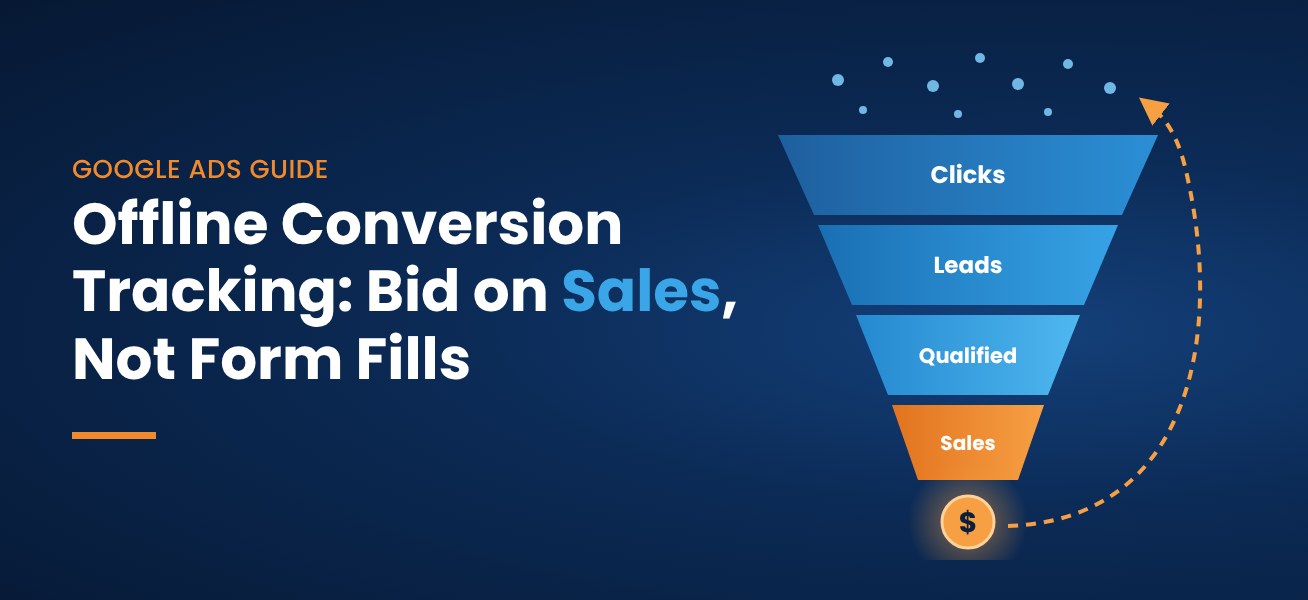


Accurate conversion tracking is crucial to the overall success of your business. Conversion tracking provides you with valuable information about what works and what does not. Tracking conversions also allows you to assess the growth of your company. Unfortunately, many people have difficulty tracking conversions.
Even with the best preparation, conversion tracking problems can occur. The cause of these problems can be difficult to find if you don’t know what to look for.
The most common cause of conversion tracking problems is an improperly implemented Google Analytics tracking code. Unfortunately, many advertisers and web developers do not know how to properly implement the analytics code. Without proper implementation, conversion tracking does not take place. If this happens, you will need to step in and fix the problem. Fortunately, this isn’t a lengthy or difficult process.
The following outlines the most common conversion tracking problems and how to solve them. This can be accomplished whether you’re an experienced techie or not.
Common Conversion Tracking Issues
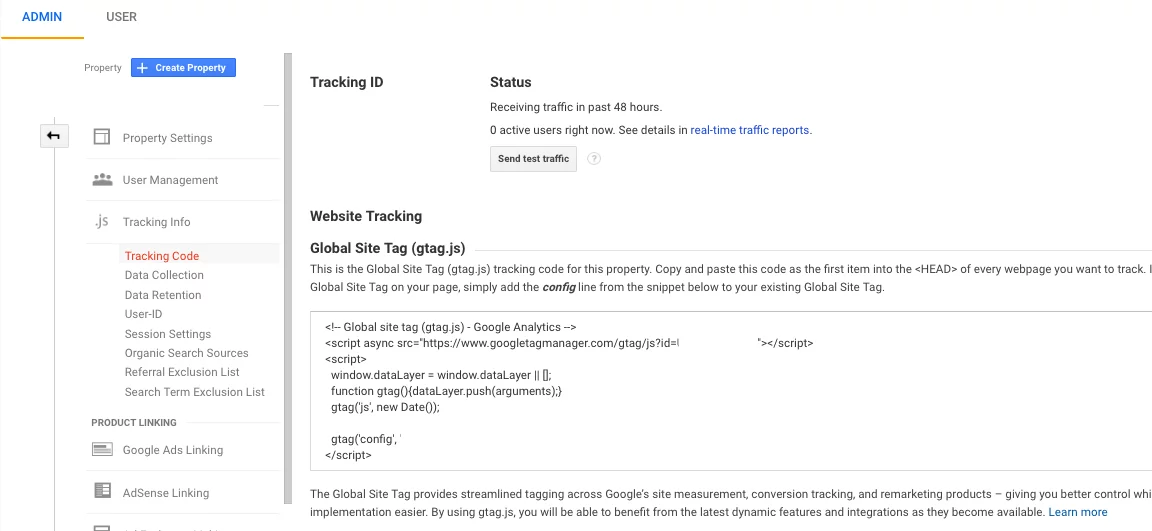
One of the easiest conversion tracking problems to fix is the incorrect implementation of an Google Analytics code. This is the first thing you should check if conversions aren’t showing up after the start of your campaign.
The most common code implementation problems include:
- Code entered wrong
- Code placed on incorrect pages
- Additional code added during implementation
- Multiple analytics code on the same pages
- The Remarketing code is entered as opposed to the analytics code
- Google Tag Manager code added but no Google Analytics code
Other common mistakes that lead to conversion tracking problems include:
- Counting duplicate conversions
- Missing conversion values
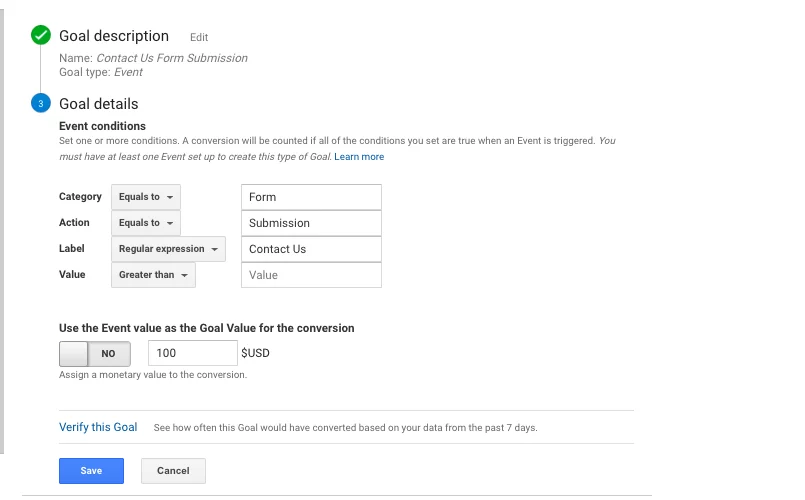
- Assigning conversion dollar amounts when none are needed (see below for a contact form submission goal example)
You need to keep an eye out for users that make multiple purchases from one click ID. If your company counts each purchase as a conversion, you will not get an accurate count. It’s best to associate only one conversion with each click ID.
For e-commerce websites, it’s important to pass monetary values to each conversion. This ensures that users that abandon their shopping cart aren’t receiving the same value as those that make a purchase. If you have any questions what what type of conversions you should set up in analytics, fill out our 25-point conversion goal analysis and we can prepare a report that will help you determine the right goals for your organization.
Testing the Conversion
Typically in Google Analytics, conversions should appear within 24 hours. If this is happening, there is not a problem. However, if you aren’t seeing any conversions, it’s important that you perform a test.
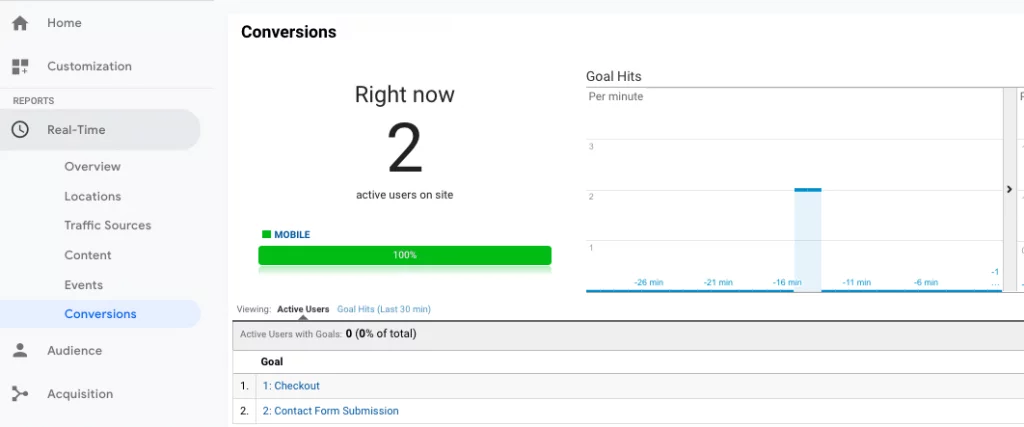
You can always test conversion tracking by logging into Google Analytics and selecting “Real Time” under the “Reports” category on the left hand side. The you click on “Conversions”. You can open up a different tab and check on conversions in real-time. It’s that simple.
Using a Diagnostic Tool to Locate Issues
A diagnostic tool, such as Tag Assistant from the Google Chrome store lets you know whether or not you’ve properly implemented your AdWords code. This helpful tool also provides tips on improving your conversion tracking.
Tag Assistant is easy to use and understand. It color-codes the status of your implementation. For example:
- A grey icon with an “X” indicates that the extension has not found any code
- A green indicator shows a valid tag. The number displayed shows the amount of tags found on the page
- A blue indicator shows that there are suggestions for improving tagging health
- A yellow indicator shows minor implementation issues
- A red indicator shows major implementation issues
Green is the ultimate goal, but this may vary from case to case. A blue status might still be acceptable in certain instances. You may or may not decide to follow all of the suggestions provided by your diagnostic tool.
Check That the Code is Set-up Correctly
In order for a tracking code to work properly, there needs to be some sort of response after the action. This is typically a “thank you” page following a purchase, or after a potential customer has signed up with your company. This page should render automatically after the conversion. This unique page should only be accessed after a conversion has been made to ensure you are getting an accurate conversion count.
In order to check that your code is set-up properly, you’ll need to verify that the code is placed between the opening and closing body tags. Once you’ve verified that the code is set-up properly, check with your web developer to ensure they see it in the correct place as well. You can always check conversion goal tracking status in “Real-Time” in Google Analytics as mentioned earlier in this article.
This step is often confusing. Fortunately, Google Analytics provides a step-by-step guide that walks you through the process of setting up the conversion tracking code. This document can help you gain a better understanding of conversion code implementation.
Check the Source Code
If you’ve followed all of the previous steps and you still aren’t receiving tracked conversions, you might want to check the source code of the website.
- Visit the webpage and right click in the center of the screen
- Click “View Page Source”
- Identify the conversion tracking code in HTML
- Compare the conversion code with the original AdWords tracking code
Any discrepancy can cause a problem with conversion tracking. This might be something as simple as a misplaced forward slash or extra character. Bring up any problems with your web designer/developer.
Conclusion
The steps mentioned above are usually enough to locate the problem. If you still can’t figure it out, Google Analytics provides a detailed troubleshooting guide. You can reference this guide for more thorough information on locating and solving multiple conversion tracking problems.
If you have questions about conversion or call tracking, Conversion Pipeline can help! We have years of experience helping businesses across a wide range of industries improve conversion rates through digital marketing campaigns. Please contact us for more information or sign up for our 25-point conversion goal analysis.