

By Michael Delpierre
Most Google Ads accounts we review count a conversion the moment someone fills out a form or places a phone call. That's a fine place to start and a bad place to stop, because Google's bidding can't tell the signed contract from the vendor pitching you SEO services.
Offline conversion tracking closes that gap.
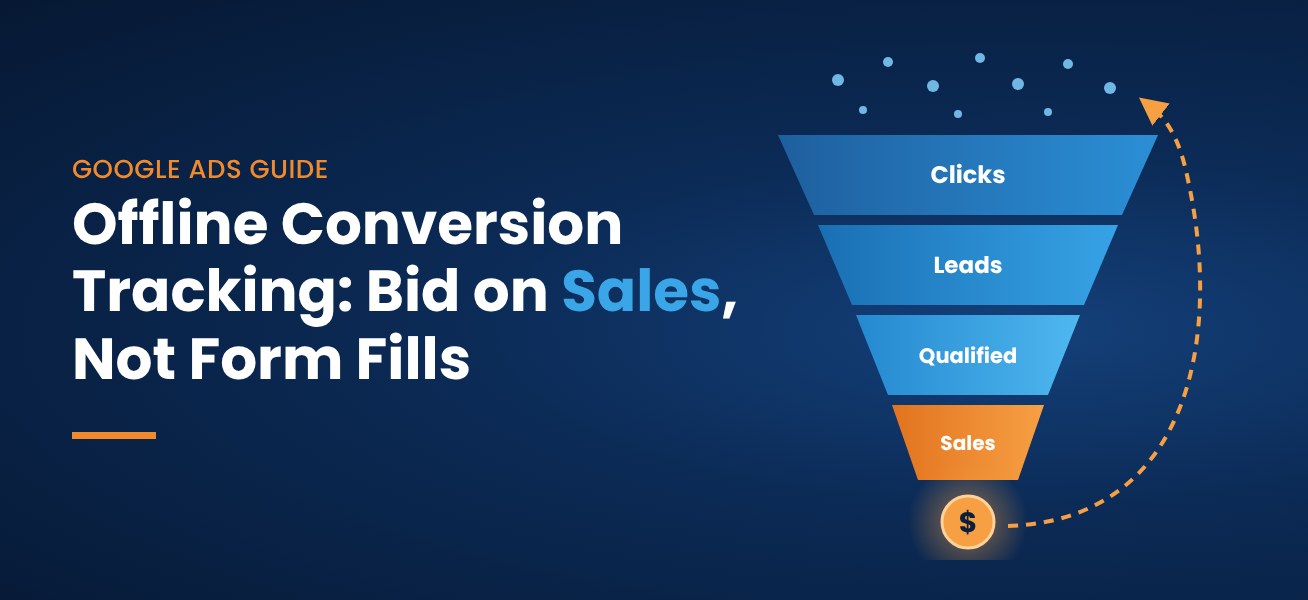
The short answer: Offline conversion tracking means sending sales outcomes that happen outside your website (a qualified lead, a booked job, a closed deal) back into Google Ads and matching them to the ad click that started it. You capture an identifier when the lead comes in, either the Google Click ID (GCLID) or hashed customer data like an email address, store it with the lead in your CRM, and import the conversion when the lead's status changes. Google accepts GCLID-based imports for up to 90 days after the click. Smart Bidding can then optimize toward real sales instead of raw lead volume.
Why contact form submissions and phone calls make a poor finish line
Here's a pattern we see constantly. Cost per lead looks steady, and the sales team says the leads have gotten worse.
Both can be true. If all you tell Google is "a form was submitted," Smart Bidding finds more people who submit forms. It doesn't know a roofing repair lead is worth far less than a full replacement, or that a cosmetic surgery consult beats a caller asking about insurance.
When we took on a Northern VA roofing company, Style Roofing, one stated goal was making sure the campaigns targeted roof replacement, not roof repair leads. Keywords and ad copy get you part of the way. Telling Google what happened to each lead gets you the rest.
How offline conversion tracking works
- Someone clicks your ad. With auto-tagging on, Google adds a unique click ID (the GCLID) to the landing page URL.
- Your site saves that ID and drops it into a hidden field on your lead form.
- The form sends the lead, GCLID included, into your CRM.
- When your team moves the lead to a stage you care about, like "qualified" or "closed won," that record goes back to Google Ads as a conversion.
- Google matches it to the original click, so you can see which campaign and keyword produced the sale.
Google's GCLID setup guide includes a sample capture script.
GCLID imports vs. enhanced conversions for leads
There are now two ways to make the match. Enhanced conversions for leads uses hashed first-party data, usually the email or phone number from your form, and matches it to what the Google tag captured and to signed-in Google accounts.
Google's offline conversion imports overview recommends that new setups start with enhanced conversions for leads. The same page reports that advertisers who imported first-party data like emails and phone numbers alongside GCLIDs saw a median 10% increase in conversions over standard offline imports. We set up both. Keep capturing the GCLID (Google recommends this too), and let the hashed data catch the leads whose click ID got lost.
The 90-day window and your sales cycle
GCLID-based conversions can be imported up to 90 days after the click. Conversions matched only through enhanced conversions data have a 63-day limit, per Google's offline conversion imports FAQ. If deals take six months to close, you can't import most final sales. Import an earlier milestone that lands inside the window, like a sales-qualified lead, and report on closed deals in the CRM.
Deciding what to import and what to bid on
Google Ads has two goal types built for this: qualified leads and converted leads. A qualified lead is one your team vetted in the CRM. A converted lead reached whatever step you define as the sale.
Create a separate conversion action for each stage, then pick one stage to optimize toward. Google's lead generation best practices call for at least 15 conversions in the last 30 days on that goal and regular uploads, ideally daily. Its value-based bidding guidance adds that conversion delays under 7 days work best.
In practice, a plumbing or HVAC company with a quick turnaround can often bid directly on booked or sold jobs. A medical practice or B2B firm with a longer cycle usually bids on the sales-qualified lead and tracks the closed deal on the side. If qualification itself takes weeks, keep bidding on form fills and qualified calls for now and revisit once the deeper data builds up.
Google Ads treats primary and secondary conversion actions differently. Primary actions drive bidding and secondary ones are for observation, which lets you add offline data without disrupting a campaign that's working.
Step-by-step setup overview
- Agree on definitions with sales. What makes a lead "qualified," and who updates the status?
- Turn on auto-tagging and confirm your site doesn't strip the gclid parameter during redirects.
- Set up the Google tag with enhanced conversions for leads so hashed form data is captured on submit.
- Add a hidden GCLID field to every lead form and run the capture script on every page, not just landing pages.
- Add a GCLID field in your CRM on the lead or opportunity record.
- Create your offline conversion actions (for example, "Qualified Lead" and "Closed Won") and keep them secondary to start. Google suggests waiting 4 to 6 hours after creating an action before the first upload.
- Pick an import method. Options range from manual CSV uploads to scheduled Sheets or SFTP uploads to direct connections through Google Ads Data Manager. HubSpot and Salesforce both connect through Data Manager. Google ended support for its legacy Salesforce integration on May 31, 2025, so older setups need migrating.
- Upload daily if you can, and check Google's diagnostics before trusting the numbers.
- Switch carefully. After a few weeks of steady data, make the offline action primary and give Smart Bidding time to adjust before judging it.
If you're on HubSpot, our guide to connecting HubSpot to Google Ads covers lifecycle stage mapping in detail.
Tracking phone calls and CRM sales in Google Ads
For many home service and medical businesses, the phone is where tracking usually breaks. Google offers call conversion imports for calls through Google forwarding numbers, whether from call assets in your ads or the number on your site. You mark which calls became sales and upload them.
Many businesses get more from a dedicated call tracking platform such as CallRail, which attributes calls, syncs them to HubSpot or Salesforce, and can send call conversions to Google Ads. Once a call is a CRM record, it follows the same path as a form lead. For a regional security client, we paired dynamic call tracking and full conversion measurement with new landing pages and segmented campaigns, and pay-per-click conversion rates improved 75%.
Putting dollar values on leads
Counting qualified leads is a big step. Valuing them is the next one. If a kitchen remodel lead is worth five times a faucet repair, Google should know. Send real revenue with closed deals, or use a proxy for earlier stages, such as average deal size times your close rate. With values in place you can use value-based bidding (Maximize conversion value, with or without a target ROAS), and conversion value rules let you adjust values by location, device or audience.
If you can't assign reliable values yet, Google suggests Target CPA bidding on qualified or converted leads. One caution: don't change the conversion goal and the bid strategy on the same day. Google's guidance is to move to the new goal on a CPA strategy first, then add values. We'd also run any bid strategy change as an experiment before rolling it out, a point we make in our post on why Maximize Conversions doesn't always work.
Common mistakes we see
The GCLID gets lost. Auto-tagging is off, or a redirect or a form loaded in an iframe drops the click ID before it reaches the CRM. Test with a real ad click.
Only some forms capture it. The contact page works, but the free estimate form doesn't. Every path a lead can take needs the field.
Wrong conversion time. It's when the deal closed or the lead qualified, not when the ad was clicked. Time zone mismatches cause a lot of "conversion date precedes click date" errors, and GCLIDs are case sensitive, which spreadsheets don't always respect.
Monthly uploads. Smart Bidding learns from fresh data. Upload daily if you can.
Two primary goals in one campaign. If the form fill and the qualified lead are both primary, Google is chasing two targets. Pick one.
A CRM nobody updates. This is the most common reason these projects stall, and it isn't a technology problem. If reps never mark leads qualified or lost, Google never hears about it. Sometimes the CRM itself needs implementation and cleanup work.
Also make sure capturing click IDs and hashed data lines up with your privacy policy and any consent rules that apply to you. For the tag-level problems underneath all of this, our post on common conversion tracking problems is a good checklist.
What better tracking changes
We don't promise a specific lift from offline imports, and you should be wary of anyone who does. What we can say is that the accounts with the clearest view of their return track past the form fill. A large regional home builder came to us with no CPA data and no clear ROI from print or digital. After we set up website and call tracking conversion goals, including call tracking on all print materials, it became obvious where the budget belonged. Average CPA fell 75%, from upward of $600 to around $150 on nonbranded campaigns (full home builder case study). Offline imports are the next step, because they let Google itself see which leads became buyers.
Offline Conversion Tracking Frequently Asked Questions
What is offline conversion tracking in Google Ads?
It's importing sales events that happen off your website, such as qualified leads or signed contracts, into Google Ads and matching them to the clicks that produced them, so you can bid toward real outcomes.
How long do I have to import an offline conversion?
Up to 90 days after the click for GCLID-based imports, and up to 63 days for conversions matched only through enhanced conversions for leads. For longer sales cycles, import an earlier milestone that falls inside the window.
Do I need a CRM to import offline conversions?
No. Google says any system that captures lead information works, even a Google Sheet. A CRM like HubSpot or Salesforce makes automated uploads much easier.
Should I use GCLID imports or enhanced conversions for leads?
Google recommends enhanced conversions for leads for new setups and also recommends including GCLIDs whenever you have them. We usually set up both.
Can I track phone call sales in Google Ads?
Yes. Import call conversions for calls made through Google forwarding numbers, or use a call tracking platform that syncs calls to your CRM and sends conversions to Google Ads.
How many offline conversions do I need before bidding on them?
Google's lead generation guidance suggests at least 15 conversions in the last 30 days for the goal you bid on. If your deepest stage falls short, bid on an earlier stage and track the deeper one as secondary.
Want a second set of eyes on your tracking?
If your Google Ads reports and your sales numbers tell two different stories, the gap is usually in the tracking. Our free PPC audit reviews how your form fills and phone calls are attributed, and our Google-certified PPC management team can connect your CRM to Google Ads properly. Get in touch with Conversion Pipeline and we'll look at what you have today.
Free audits
Find out where your ad spend and leads are leaking
Our free PPC audit digs into your Google Ads account for wasted spend, weak tracking and missed opportunities. Want the bigger picture? A free lead-source mini-audit shows which channels actually bring in your calls and form fills.