

By Michael Delpierre, CEO, Conversion Pipeline Published November 5, 2026.
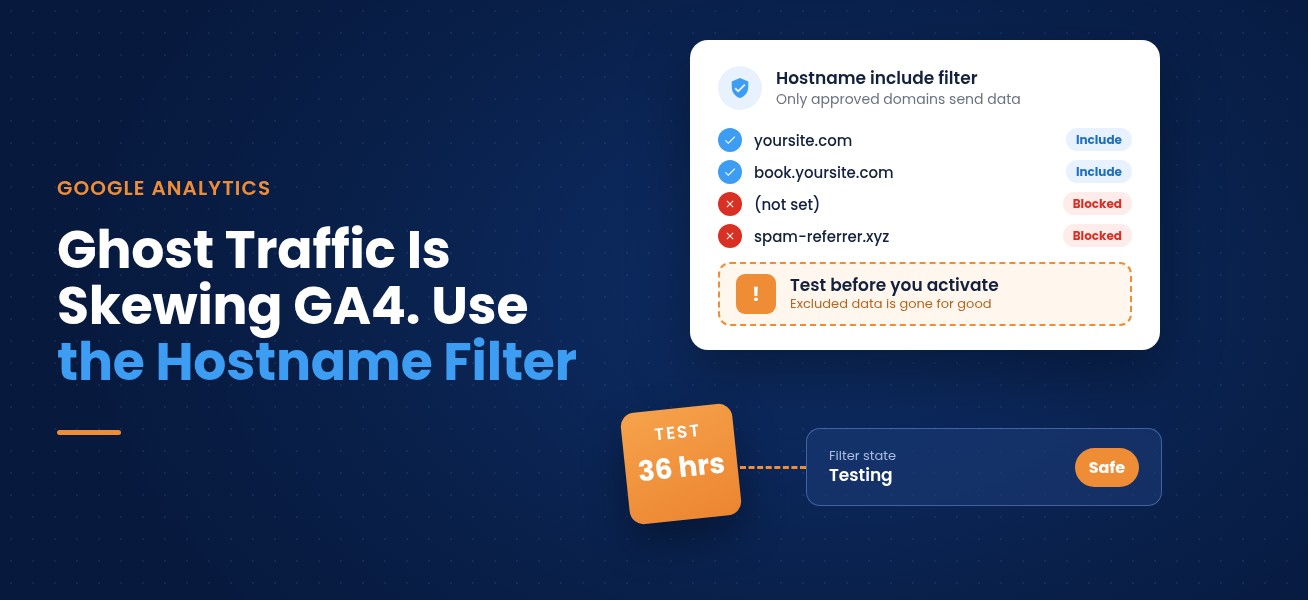
On September 21, 2026, Google Analytics added Include data filters for hostnames. You list the domains allowed to send data to your GA4 property, and everything else gets filtered out. It's the cleanest fix yet for ghost traffic, the fake sessions that never touched your site but still inflate users, sessions and conversions. The catch: GA4 data filters are permanent. Leave a real domain off the list and those visits and leads are gone for good. Test first.
Here's a monthly report conversation we've had more than once. Traffic is up 30%. Leads are flat. The client wants to know what the website team broke. Often nothing is broken. A chunk of that traffic never visited the site at all.
What ghost traffic is and why it costs you
Ghost traffic is data sent straight to your GA4 property without anyone loading your website. It often carries a hostname that isn't yours, or no hostname at all. It can also show up as a sudden wave from one country. Search Engine Watch reported one GA4 Realtime snapshot in September where 365 of 419 active users were listed in Singapore, though that snapshot didn't show which hostnames were involved.
This isn't about vanity numbers. Fake sessions water down your conversion rate, make the wrong channels look like they're working, and can make a landing page test look like it failed when it didn't. Web analytics is supposed to tell you where leads come from so you can move budget toward what converts. That only works if the data is real. When traffic and leads stop moving together, junk data is one of the first things our web analytics team checks.
What Google released
From Google's What's new in Google Analytics page:
- June 11, 2026: hostname filters arrived as an Exclude option. You could block specific hostnames, but you had to keep adding new ones as spammers changed tactics.
- September 21, 2026: Include filters arrived. Now you set an allowlist of approved hostnames instead.
Two lines in that release note are easy to miss:
- Measurement Protocol events aren't affected. Include filters don't apply to events sent through the Measurement Protocol, Google's server-to-server method.
- Events with no hostname get blocked. Google says a missing hostname usually signals spam or abnormal traffic.
Why testing first isn't optional
Google's data filters documentation is clear. Once a data filter is applied, the effect is permanent. Excluded data is never processed and never shows up in Google Analytics or BigQuery. Filters also only work going forward. They won't clean up spam that's already in your reports.
So the risk runs one way. Get it right and your reports are cleaner from today on. Get it wrong and you lose real visits, form fills and purchases from any domain you forgot, forever.
Forgetting a booking tool, financing app or HubSpot landing page domain. Those often host your highest-intent forms, and an allowlist that leaves them out deletes exactly the leads you care about most.
Step 1: List every hostname that should send data
Before building anything, pull every hostname that sent data to your property in the last 90 days. In GA4, create an Exploration with Hostname as the dimension and sessions, events and key events as metrics.
Sort the list into "ours" and "not ours." The "ours" side is usually longer than people expect:
- Your main domain, with and without www
- Subdomains like shop., book., portal. or blog.
- HubSpot landing pages on their own subdomain
- Scheduling, financing or quote tools that host forms on their own domain but fire your GA4 tag
- A separate checkout domain for an online store
- Old campaign microsites that still get visits
Leave staging and development sites off the list on purpose. That's free cleanup.
Step 2: Look at what arrives with no hostname
Because Include filters block events with empty hostnames, check the "(not set)" or blank rows in that Exploration. If they carry real key events, track down where they come from before you turn anything on.
Step 3: Know what uses the Measurement Protocol
Server-side events sent through the Measurement Protocol skip the Include filter entirely, according to Google. Some CRM and call tracking integrations send events to GA4 from their servers instead of the browser. Ask your vendors or check your setup so you know which events the filter will touch. It cuts both ways. Those integrations keep working, and spam sent the same way won't be stopped by this filter.
Step 4: Create the filter in Testing state
Following Search Engine Watch's walkthrough of Google's guidance:
- Go to Admin, then Data collection and modification, then Data filters. You need Editor access or higher.
- Create a new Web hostname traffic filter.
- Choose Include only and add every approved hostname from your list.
- Set the filter state to Testing, not Active.
In Testing, GA4 doesn't drop anything. It tags matching data with the Test data filter name dimension so you can look at it.
Step 5: Wait 24 to 36 hours, then check
Google suggests waiting 24 to 36 hours before reviewing results. Then build an Exploration with the Test data filter name dimension and compare what would be kept with what would be dropped. You're looking for one thing: real-looking traffic or key events that would be thrown away. If you find any, add that hostname and test again.
Step 6: Turn it on and write down the date
When the test looks right, switch the filter to Active. Then record the date where your whole team and your agency will see it. Traffic will probably drop from that day on. If nobody remembers why, someone will blame the website, the SEO or the ads. Put a note in your monthly report so before-and-after comparisons stay honest.
What the hostname filter won't fix
- Bots that actually load your site. They carry your real hostname, so an allowlist lets them in. Watch for strange engagement patterns and country spikes.
- Spam sent through the Measurement Protocol. It bypasses Include filters.
- Old data. Filters don't reach back. For historical reports, use segments or report filters, which hide data without deleting it.
- A bad tracking setup. Duplicate tags, broken key events and missing call tracking are separate problems. We covered some of them in what happened to conversions in GA4 and common conversion tracking problems.
Clean GA4 data also matters for anything that learns from it. If you share key events with Google Ads, junk data can steer bidding. Our posts on AI-qualified call leads and the AI Max auto-upgrade explain why. And if you're watching the new AI Assistant channel to measure visits from tools like ChatGPT, as we suggested in our ChatGPT Ads and HubSpot post, you want to know those sessions are real.
Google also added Dashboards to GA4 on September 9. Once your data is clean, that's a good home for the few numbers you actually run the business on. For a broader view of tying analytics to revenue, see how our revenue operations work connects GA4, call tracking and the CRM.
Get a clean read on where your leads come from
Our free lead-source mini-audit checks your GA4 property for ghost traffic and tracking gaps, lines it up with your call tracking and CRM, and shows which sources really produce leads. We'll go over it with you on a 15-minute call.
Frequently asked questions
What is ghost traffic in GA4?
Ghost traffic is fake data sent directly to your Google Analytics property without a real visit to your website. It often has a hostname that isn't yours or no hostname at all, and it inflates sessions and skews conversion rates.
Does the GA4 hostname filter remove old spam?
No. GA4 data filters only apply to data collected after the filter is created. Use report filters or segments to hide spam in historical reports.
Can I undo a GA4 data filter?
You can turn a filter off, but data excluded while it was active is permanently gone. Google says excluded data is never processed and isn't available in Analytics or BigQuery.
Will a hostname Include filter block events from my CRM or call tracking?
Not if they arrive through the Measurement Protocol, which Google says Include filters don't apply to. Browser-based tracking on domains you leave off the allowlist will be blocked, so list every hostname first.
How long should I test a GA4 hostname filter?
Google's guidance is to leave the filter in Testing state and wait 24 to 36 hours before checking the results with the Test data filter name dimension.
About the author
Michael Delpierre is CEO of Conversion Pipeline, a digital marketing agency he founded in 2009 with offices in Fairfax, Virginia and Nashville, Tennessee. The agency has been a Google Partner since 2012, and Michael works on analytics, paid search, HubSpot and CRM strategy for home services, medical, B2B and professional services clients.
Free audits
Find out where your ad spend and leads are leaking
Our free PPC audit digs into your Google Ads account for wasted spend, weak tracking and missed opportunities. Want the bigger picture? A free lead-source mini-audit shows which channels actually bring in your calls and form fills.